
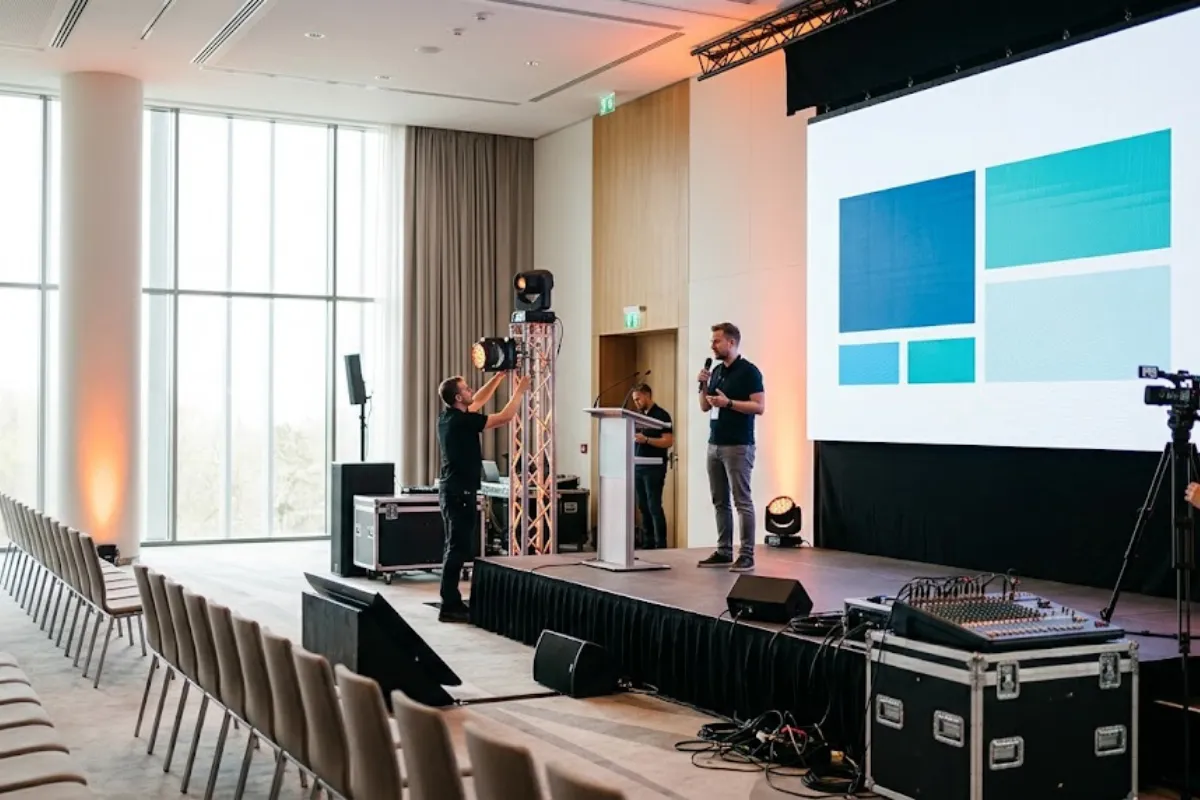
Planning a company town hall involves more than gathering employees in one room. Whether you’re hosting a small meeting, company-wide presentation, or hybrid event, the right staging, sound, and lighting can make a significant difference in the experience.
From clear audio and visible presentation screens to professional lighting, thoughtful audiovisual planning helps employees stay engaged and informed. Understanding your audience size, venue layout, and presentation format is the first step toward determining the right production setup.
Explore Event Solutions Group’s staging and trussing, sound equipment, and AV equipment services for additional production options.
The format of your town hall helps determine its technical requirements. Common formats include:
Identifying your format early helps avoid unnecessary equipment while ensuring important production needs are covered.
A stage improves visibility and creates a focal point for presenters, but smaller meetings may not require an elevated platform.
Larger rooms with multiple seating rows, obstructed sightlines, or panel discussions often benefit from staging. A stage can also accommodate branded backdrops and create a more professional presentation environment.
Before choosing a stage, consider ceiling height, floor space, accessibility, and venue restrictions. A production professional can recommend an appropriate configuration based on your room layout and audience.
Clear audio is essential for communicating important company information. Employees should be able to understand every speaker without struggling to hear or experiencing uncomfortable volume levels.
Important considerations include:
Smaller meetings may only need a compact speaker system and microphone, while larger venues often require more advanced audio coverage.
Explore our sound equipment rentals for available options.
Presentation screens help employees follow slides, videos, and other visual content. Screen size and placement should allow attendees throughout the room to see information clearly.
For larger audiences, cameras can provide image magnification (IMAG), displaying live video of presenters on large screens. Cameras are also important for livestreaming, recording, and hybrid events.
Our conference planning services cover presentation technology, including projection, LED displays, and video switching.
Proper lighting helps employees see speakers clearly and creates a professional presentation environment. It is especially important when events are recorded or livestreamed.
Consider these lighting elements:
The right lighting setup depends on your venue, stage design, and presentation format. Explore our corporate event lighting guide for additional ideas.
Hybrid town halls require reliable cameras, internet connectivity, and audio feeds so remote employees can follow the presentation. Slides should also be shared directly through the virtual platform when possible.
Assign a moderator to monitor online questions and participation. Before the event, test the livestream, audio, cameras, and presentation feeds to identify potential technical issues.
Even experienced executives benefit from rehearsing before a company town hall. A short walkthrough helps presenters become familiar with the equipment while allowing the production team to test the setup.
Rehearsals should include microphone checks, slide transitions, speaker positioning, and presentation timing. Confidence monitors can help presenters reference slides or notes without turning away from the audience.
Our conference run-of-show template can help coordinate speaker transitions and presentation schedules.
One common mistake is underestimating the importance of speaker visibility and sound coverage. A setup that works in a small conference room may not be effective in a larger venue. Always evaluate sightlines and audio quality from different areas of the room.
Another mistake is overlooking remote attendees or adding unnecessary production elements. Focus on clear communication, reliable equipment, and an engaging experience rather than elaborate staging or lighting that doesn’t support the presentation.
Accessibility should be considered throughout the planning process. Provide appropriate seating options, clear pathways, and unobstructed views of speakers and presentation screens.
Depending on employee needs and applicable requirements, consider assistive listening devices, live captioning, or sign language interpretation. Remote attendees should also be able to access presentation materials and any arranged accessibility services.
The W3C’s event accessibility guidance offers additional recommendations for inclusive presentations.
Smaller town halls may only require a microphone, compact sound system, presentation screen, and appropriate room lighting. A raised stage may not be necessary when everyone can clearly see the presenter.
Medium-sized events often benefit from additional sound coverage, larger displays, and dedicated speaker lighting. Larger gatherings may require elevated staging, multiple speakers, cameras, and more advanced audiovisual coordination.
Hybrid events introduce additional requirements for streaming, cameras, and remote participation. A production professional can evaluate the venue and recommend equipment based on your specific needs.
The right staging, sound, and lighting can make a significant difference in how employees experience a company town hall. Whether you’re hosting a small internal meeting or a large corporate presentation, thoughtful audiovisual planning helps ensure every attendee can see, hear, and engage with the information being shared.
At Event Solutions Group, we provide professional audiovisual equipment, staging, lighting, and event production services to help corporate events run smoothly. Our team can help you explore solutions that fit your venue, audience size, and presentation needs.
Contact Event Solutions Group to discuss the production needs for your upcoming company town hall.
"*" indicates required fields