
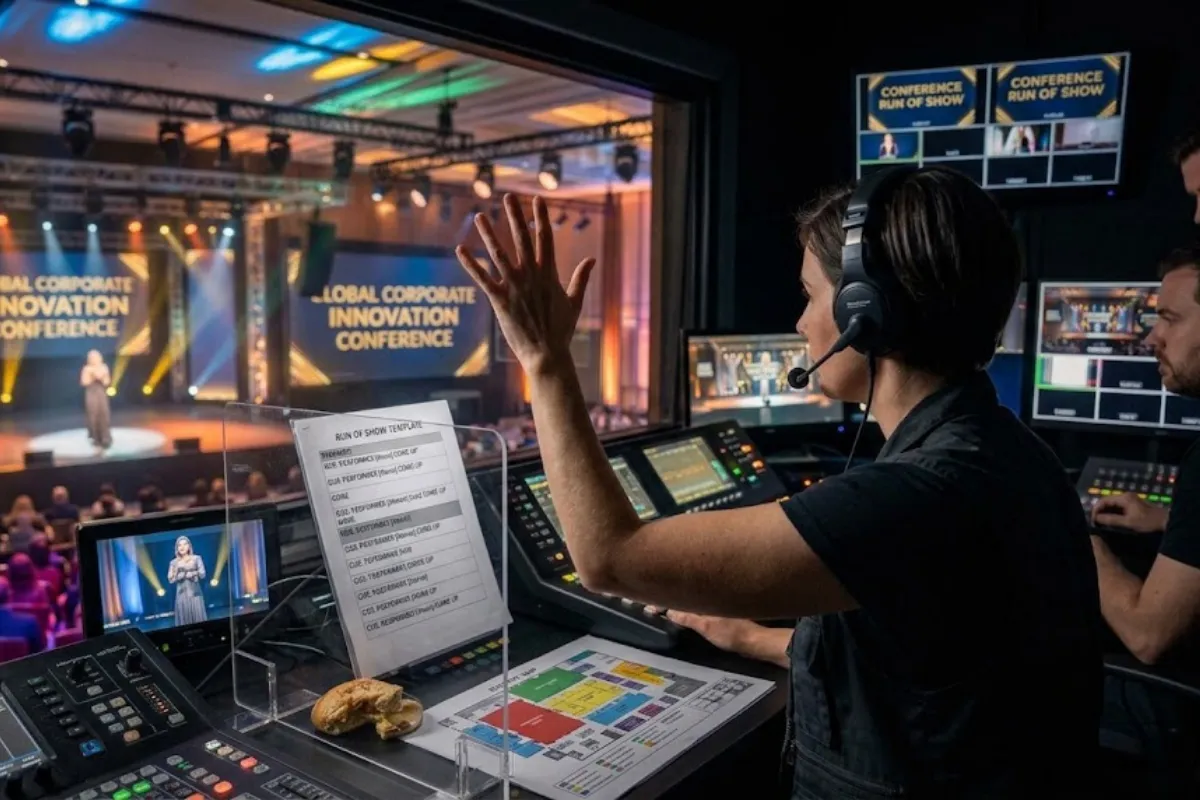
A conference run of show is the single document that keeps your stage crew, AV team, speakers, and event staff synchronized from doors open to load-out. Without one, speaker transitions drag, slides fail to advance, and microphones go dead while someone scrambles to find the right input. After running production for conferences ranging from 150-attendee single-track events to multi-day programs with concurrent breakout rooms across Baltimore, Orlando, and national conference venues, our production team has refined the run of show format that actually works on show day.
This guide covers the structure of a production-ready run of show, how to build realistic transition times between sessions, what AV cues to include, and how much backup time to build into your schedule. Includes a template table you can adapt for your event.
A production-ready run of show answers six questions for every moment of the event. If your current document does not answer all six, it is an agenda, not a run of show.
The six columns every run of show needs:
| Column | What It Answers | Example Entry
|
|---|---|---|
| Time | When does this moment start? | 9:00 AM |
| Duration | How long does this segment run? | 45 minutes |
| Segment | What is happening on stage? | Keynote: Sarah Chen, “Future of Supply Chain” |
| AV Cues | What does the AV team need to do? | Fade house music. Bring up podium mic and lav. Advance laptop to slide 1. Cue keynote walk-up track. Follow spotlight on presenter entrance. |
| Who / Notes | Who is involved and what do they need? | Presenter: Sarah Chen. Slides on conference laptop (tested). Confidence monitor ON. Timer visible from stage, set to 40 min with 5 min warning signal. |
| Stage / Set | What is on stage during this segment? | Podium center stage. Two chairs stage right for fireside chat segment at end of keynote. |
Additional columns that larger productions benefit from include lighting state (house at 50 percent, stage at full), audio routing (which microphones are live), graphics and lower thirds (what is on screen), and a backup plan note (what happens if the presenter runs short or long).
Transition time is the gap between one session ending and the next one starting. Underestimating it is the most common scheduling mistake in conference production. Here is what actually happens in a transition:
That is 9 to 11 minutes of real work. If your run of show schedules zero transition time between sessions, your day is already running behind by 10:00 AM.
Build these minimum transition buffers into your schedule:
Communicate these transition times to your speakers during the prep call. A speaker who knows they have 40 minutes for a 45-minute slot because 5 minutes are reserved for transition is a speaker who finishes on time.
AV cues are the instructions that tell your production team what to do with sound, video, and lighting at each moment. Write them in plain, action-oriented language. Every cue should describe the action, the target, and the result.
Here is how to write AV cues for common conference moments:
Session start: “Fade out house music over 3 seconds. Bring up podium microphone. Switch main screen to conference laptop, input 1. Advance to session title slide. Cue walk-up music track 4 at 0:15. House lights to 50 percent. Stage wash to full.”
Video playback: “Fade out stage wash. House lights to 10 percent. Switch main screen to playback laptop, input 2. Audio from playback laptop to house at 80 percent. When video ends, switch main screen back to conference laptop, input 1. Stage wash to full. House lights to 50 percent.”
Panel discussion: “Set 4 handheld wireless mics on stands at panel chairs. Test all 4 before session starts. Audio engineer rides faders (only the speaking panelist’s mic is live). Confidence monitor ON with timer visible. House lights at 50 percent. Stage wash at full.”
Session end: “Fade podium mic out as speaker finishes. Bring up house music to 40 percent. House lights to 80 percent for transition. Switch main screen to holding slide. Collect wireless mics from stage.”
Note the specific numbers: “house lights to 50 percent” not “dim the lights.” “fade over 3 seconds” not “slow fade.” Technicians working under time pressure need precision. Ambiguous cues create hesitation, and hesitation during a live event is visible to the audience.
Below is a template for a single-track morning session at a conference. Adapt the columns and timing to your event. Distribute it to your AV team, stage manager, emcee, and every speaker at least one week before the event.
| Time | Dur | Segment | AV Cues | Who / Notes
|
|---|---|---|---|---|
| 7:00 AM | 60 min | AV load-in and setup | Full system build: PA, stage lighting, video screens, confidence monitors. Sound check all mics. Test all laptop inputs. Test slide advance. | Production crew only. Venue access confirmed 6:30 AM. |
| 8:00 AM | 30 min | Speaker rehearsal block | Run each presenter through their slides on the conference laptop. Confirm slide advance remote works. Set mic levels. Walk stage entrances and exits. | All morning speakers must attend. Backup laptop connected and mirrored. |
| 8:30 AM | 30 min | Doors open / registration | House music at 35 percent. House lights at 80 percent. Holding slide on main screen. Confidence monitors off. | Registration team ready. Badge pickup and coffee station open. |
| 9:00 AM | 5 min | Housekeeping and safety announcement | Fade house music. Bring up podium mic. House lights to 50 percent. Advance to welcome slide. | Venue or conference MC. Include emergency exits and restroom locations. |
| 9:05 AM | 10 min | Opening remarks / CEO welcome | Podium mic hot. Confidence monitor ON, timer set to 8 min with 2 min warning. Cue walk-up track if used. | CEO. Notes on podium. Water at podium. |
| 9:15 AM | 5 min | TRANSITION | Fade out podium mic. House music to 30 percent. Switch laptop input, load Keynote 1 slides. Set lav mic. Test slide advance. | AV team resets stage: water, notepad. |
| 9:20 AM | 45 min | Keynote 1: [Speaker Name], [Title] | Fade house music. Bring up lav mic. Advance to slide 1. Confidence monitor ON. Timer: 40 min speak + 5 min Q&A. 5 min warning signal to presenter at 35 min. | Speaker [Name]. Slides on conference laptop. Q&A mic (handheld wireless) staged at aisle. |
| 10:05 AM | 10 min | TRANSITION + Morning tea/coffee break | Fade lav mic as speaker exits. House music to 40 percent. House lights to 80 percent. Holding slide on main screen. Reset stage for next session (podium only). | Break service open. Speakers for next session report to green room at 10:40. |
| 10:45 AM | 60 min | Panel: [Topic] | 4 handheld mics on stands at panel chairs. Test all mics before session. Audio engineer rides faders. Timer: 50 min discussion + 10 min audience Q&A. | Panelists: [Names]. Moderator: [Name]. Q&A mic in aisle. |
| 11:45 AM | 15 min | BUFFER | House music at 40 percent. Holding slide. If running on time, extend break. If running behind, use this buffer to catch up. | Scheduled buffer block. Announce adjusted timing to afternoon speakers if schedule has shifted. |
| 12:00 PM | 60 min | Lunch break | House music at 35 percent. House lights at 80 percent. Holding slide with afternoon agenda. All mics muted. | Lunch service open. Afternoon speaker rehersal at 12:30 PM. |
Afternoon sessions follow the same structure. Add additional rows for afternoon break, closing keynote, closing remarks, and the event end time with load-out instructions for the AV crew.
Buffer time is the slack in your schedule that absorbs delays without cascading through the rest of the day. The rule our production team uses: build buffers where delays happen, not where you hope they will not.
Delays concentrate at these points in a conference schedule:
Schedule at least two buffer blocks per conference day: one mid-morning (10 to 15 minutes) and one mid-afternoon (10 to 15 minutes). These blocks are not breaks. They are labeled “BUFFER” in the run of show and the AV team knows they can be shortened or skipped if the schedule is on track, or used as catch-up time if it is not.
Total buffer time should equal roughly 10 to 15 percent of your total session time. For a 6-hour conference day (9:00 AM to 3:00 PM with breaks), that means 30 to 50 minutes of buffer distributed across the day.
The run of show is only as useful as the team’s ability to follow it under pressure. Here is what works on show day:
Printed copies at every technical position. Front-of-house audio, lighting console, video switcher, stage manager, and green room each get a printed copy. Phones die, screens crack, and WiFi drops. Paper does not fail. Use a large font. Highlight every AV cue in yellow.
One person owns the clock. The stage manager or show caller tracks the actual time against the run of show and communicates adjustments. Every time check is announced over comms: “We are at 10:32, keynote should end at 10:35, we are 3 minutes behind. Lighting, prepare to fade to break at my call.” No one else calls time. Multiple timekeepers create confusion.
Version control. If the run of show changes during rehearsals, every copy gets replaced. Old copies get collected and destroyed. A single outdated copy at the lighting console that still has the old session order creates a visible mistake on stage. Date- and time-stamp the file name: “Conference_RunOfShow_2026-10-15_v3_FINAL.pdf”
Communication protocol. Agree on the comms channel and protocol before doors open. Our crews use a simple three-step call for every transition: standby (“Standby to fade house music and bring up podium mic”), go (“Fade house music. Podium mic live.”), and confirm (“Podium mic hot, slide 1 on screen.”). Every action gets confirmed. Silence on comms during a transition means something is wrong.
An agenda tells attendees what is happening. A run of show tells the production team how to execute it. An agenda says “9:00 AM, Keynote.” A run of show says “9:00 AM, fade house music, bring up lav mic, advance slide to title, house lights to 50 percent, timer set to 40 minutes with 5-minute warning, confidence monitor ON.” The agenda is for the audience. The run of show is for the crew.
The event planner or producer creates the first draft with session titles, speaker names, and desired timing. Then the AV provider and stage manager add the technical detail: AV cues, transition times, buffer blocks, lighting states, and any venue-specific notes. The final document should be reviewed by the planner, the AV lead, and the stage manager before it is distributed.
A near-final draft should be circulating two weeks before the event. The final version with all AV cues, confirmed speaker names, and precise timing should be locked one week out. Changes after that point happen, but they should be version-controlled and communicated to every vendor immediately. Last-minute speaker cancellations or session swaps are the most common pre-event change. Have a backup plan for each session slot in case a speaker drops.
The stage manager communicates the overage to the show caller. The show caller decides whether to absorb the delay in the next transition (shave 2 to 3 minutes), use a scheduled buffer block (shave 10 to 15 minutes), or shorten a break (last resort). Never cut a speaker off mid-sentence on stage unless the overage threatens a hard stop time like a venue curfew or meal service window. Give speakers a 5-minute warning and a 2-minute warning so they can wrap gracefully.
Each track gets its own run of show document. The documents share a master timeline so you can see at a glance what is happening in every room at any time. The AV team in each room only needs their track’s run of show, but the show caller and event producer need the master document that shows all tracks. Label each track clearly: “Track A, Ballroom,” “Track B, Salon C,” “Track C, Room 204.” Color-code the master document by track.
Yes. The rehearsal run of show should match the show-day run of show in structure and timing, but it includes additional detail: which speakers are rehearsing at which time, where the backup laptop is staged, and any technical checks that need to happen before speakers arrive. Speakers rehearse in the order they appear on stage, not in the order they arrive. That way each speaker walks their actual entrance, tech setup, and exit in sequence.
Scheduling zero transition time between sessions. Planners see a 45-minute keynote that ends at 9:45 AM and schedule the next session to start at 9:45 AM. The AV team needs 7 to 10 minutes to reset. The audience needs time to process what they just heard. The speaker needs to exit the stage. Build real transition time into the schedule and the day breathes. Skip it and every session after the first one starts late, compounding through the afternoon until you cut the closing session short or run into the venue’s hard stop time.
A solid run of show is the difference between a conference that feels smooth and one where the audience watches the AV team scramble between every session. If you are planning a conference and want production support that includes a detailed run of show with every AV cue, transition, and buffer built in, contact Event Solutions Group. We provide full conference production services across Baltimore, Orlando, and nationwide conference venues, including run of show development, AV design, stage management, and day-of technical direction.
"*" indicates required fields