
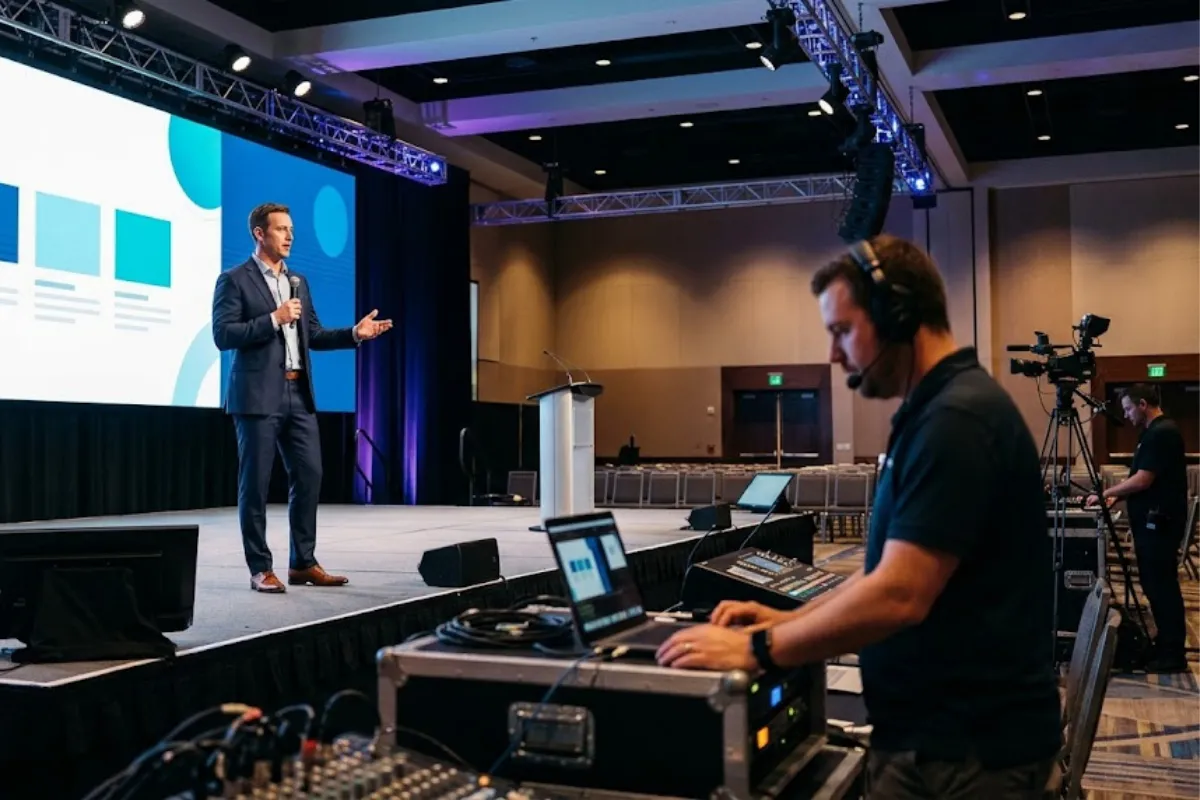
Successful conference presentations involve more than a great speaker and a well-designed slideshow. Behind every smooth presentation is careful planning, from organizing presentation files and coordinating rehearsals to managing microphones and other audiovisual equipment.
Without proper preparation, even small technical issues can disrupt a presentation. A missing slide deck, malfunctioning microphone, or last-minute equipment change can create unnecessary stress for speakers and event organizers. Having a reliable speaker support process helps prevent these challenges and keeps everything running smoothly.
Whether you’re planning a corporate conference, keynote presentation, or multi-speaker event, understanding the essentials of speaker support can help create a better experience for everyone involved. Our conference planning overview covers the audiovisual technology and production support that help bring these events together.
Choose one submission method, such as a shared folder or a portal, and give speakers a deadline well ahead of the event, with a later hard cut-off for final changes. Ask for the file format, aspect ratio, embedded fonts, video and audio files and any special requirements such as live demos. Tell speakers whether they will use their own laptops or a provided one.
Version control matters. Use a naming convention such as speaker name, session and version, and decide who is the only person allowed to replace the master file. Last-minute changes should go through that person to avoid mismatched slides on stage. Track which files have been received, tested and loaded.
Rehearsal is not only for nervous speakers. It confirms that slides display correctly, videos play with sound, microphones work and the speaker knows where to stand and how to move. A useful rehearsal covers:
If time is limited, prioritize keynote and panel speakers and anyone with video, live demos or complex content. Our conference run-of-show template can help you schedule rehearsal blocks.
A confidence monitor is a screen facing the speaker, usually showing the current slide and sometimes the next one, notes or a timer. It lets speakers keep eye contact with the audience instead of turning to look at the main screen. Not every stage has one, so ask your production partner what is available. Our conference planning page lists confidence monitors among video and presentation technology.
For slide control, decide whether speakers advance their own slides with a clicker or an operator does it from the control position. Each option has trade-offs. Speaker control is more flexible but depends on the clicker working. Operator control reduces equipment on stage but needs good cues. Explain the choice to each speaker.
Microphone type affects movement, sound and comfort:
Ask speakers about their preference in advance, but let your audio lead make the final recommendation. Tell speakers what to wear if possible, for example avoiding noisy jewelry or clothing without a place for a pack. Plan batteries and spare units, and have someone handle mic fitting. Our sound equipment page and AV equipment page describe wired and wireless microphone options Event Solutions Group lists.
Blocking is where speakers stand and move. Mark positions if needed, and consider where lights and cameras are aimed. Decide where speakers enter and exit, where panelists sit, and how hand-offs between speakers work. Keep paths clear and check that any stairs or ramps are safe and accessible.
Make sure speakers know about accessibility needs. Ask presenters to describe visuals, to use microphones every time and to share slides with captioners or interpreters in advance. Provide accessible stage access for speakers who need it and confirm whether the confidence monitor and seating suit them. For general principles on communication access, the U.S. Department of Justice publishes ADA effective communication resources. This is general information, not legal advice.
Failures happen, so plan for them:
Test the backup, not just the primary. A backup file that has never been opened is not a backup.
A clear communication plan keeps speakers calm. Consider:
Our conference page mentions live production management such as show calling and speaker mic management. Ask the team how they typically handle these tasks for your event.
Confidence comes from knowing what to expect. Share a short speaker brief that includes the schedule, stage photos or a diagram, microphone type, slide process, rehearsal time and contact numbers. Give speakers a quick walk-through before they go on. Keep the tone calm and practical.
Speaker support does not end when the speaker leaves the stage. Make sure microphones are collected and any personal files are removed from shared computers. Ask the speaker whether they want a copy of the recording or slides, if permitted. Pass any feedback to the producer, such as a monitor that was hard to read or a cue that was missed, so the next speaker benefits. A short debrief at the end of the day helps the team spot patterns and fix them while the event is still running.
The W3C’s Making Events Accessible checklist includes a speaker section that suggests describing visual information, speaking clearly, using simple language, pausing between topics, staying visible and using a good microphone. It also advises sending slides and handouts in advance, in accessible formats, to participants, interpreters and captioners. For hybrid sessions, the W3C’s note on remote meetings says remote participants should be able to hear words spoken by in-room participants who lack microphones, so repeat audience questions through a microphone.
Build these into your speaker brief. They are good habits whether or not any attendee has requested an accommodation, and they give your producer a concrete list to check at rehearsal.
| Area | What to confirm | Owner |
| Submission | Deadline, method, file format | Producer |
| Version control | Master file, naming rule, change process | Producer |
| Rehearsal | Time, stage, equipment, priorities | Producer, show caller |
| Slide control | Clicker or operator, backup | AV lead |
| Confidence monitor | Content shown, timer, notes | AV lead |
| Microphones | Type per speaker, batteries, spares | Audio lead |
| Blocking | Entrances, marks, panel seating | Show caller |
| Accessibility | Captioner access, stage access, description of visuals | Event owner |
| Backups | Files on separate devices, spare gear | Producer |
| Show-day communication | Ready room, schedule, contact | Show caller |
A successful conference depends on more than what happens on stage. From rehearsals and presentation management to microphone setup and technical coordination, proper speaker support helps every presentation run smoothly.
At Event Solutions Group, we provide professional audiovisual equipment and conference production support to help create seamless experiences for speakers and attendees. Whether you’re organizing a corporate conference, keynote presentation, or multi-day event, having the right production team can make all the difference.
Contact Event Solutions Group to learn more about our conference production services.
"*" indicates required fields