
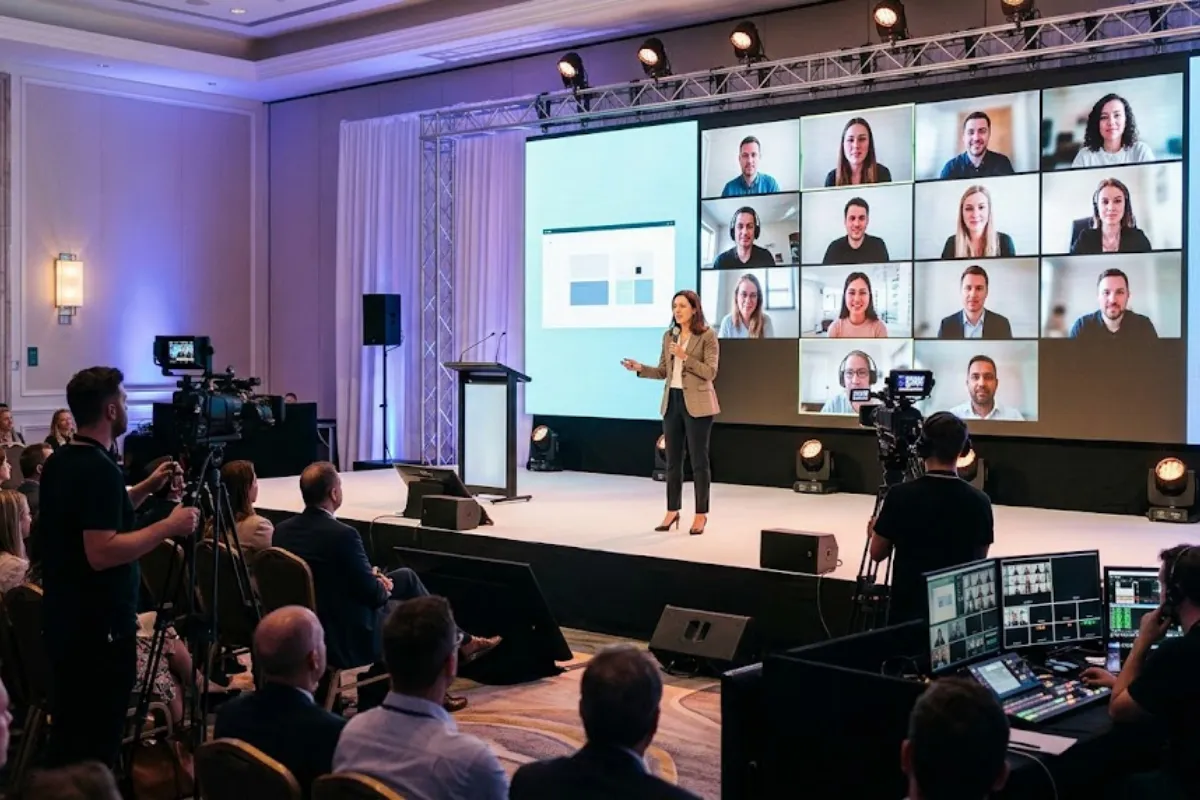
Planning a hybrid event means creating an engaging experience for both in-person and remote attendees. Whether you’re hosting a corporate conference, company meeting, or live presentation, the right streaming technology, audiovisual equipment, and production planning help everyone stay connected.
From reliable audio and professional camera setups to interactive features and presentation screens, hybrid event production requires coordinating several technical elements. Understanding these requirements early can help prevent disruptions and create a smoother experience for everyone involved.
For additional production options, explore Event Solutions Group’s AV equipment rentals and corporate event services.
Before selecting equipment or a streaming platform, consider how remote attendees will participate in your event.
Will they simply watch a presentation, submit questions, participate in discussions, or join interactive sessions? A company-wide announcement may only require a livestream, while a hybrid conference or workshop could need additional cameras, moderation, and audience engagement tools.
Understanding your audience’s expectations helps determine the technology and production support needed to connect both groups effectively.
The streaming platform you choose affects how attendees access, watch, and participate in your event. Consider your audience size, security requirements, and the level of interaction you want to provide.
Important factors include:
Discuss platform requirements with your IT team and production partner. Testing the platform before event day helps identify potential technical limitations.
Cameras help remote viewers follow speakers, presentations, and activities happening inside the venue. The number and placement of cameras depend on your event format, audience size, and production goals.
A basic setup may include one camera focused on the presenter and a separate feed for presentation slides. Larger conferences may benefit from multiple camera angles, wide shots, or live video switching.
Consider whether remote speakers will appear on screens inside the venue and how camera placement may affect audience sightlines.
Our conference planning services cover video and presentation technology that may be useful for larger corporate productions.
Clear audio is one of the most important elements of hybrid event production. Remote attendees need to hear speakers and audience questions without excessive background noise, echo, or interruptions.
Important audio considerations include:
A reliable audio setup helps prevent communication issues and allows both audiences to follow the presentation.
Explore ESG’s sound equipment rentals for additional audiovisual options.
Lighting that looks appropriate inside a venue may appear too dark, harsh, or uneven on camera. A well-planned lighting setup helps speakers look professional and improves the viewing experience for remote attendees.
Focus on keeping presenters’ faces evenly illuminated, minimizing glare on screens, and maintaining consistent lighting throughout the presentation area.
Branded backdrops and accent lighting can also enhance the visual appearance of the event without distracting from the content.
For additional guidance, explore our corporate event lighting guide.
Even carefully planned hybrid events can experience technical difficulties. Preparing backup options can help reduce disruptions when equipment or connectivity issues occur.
Consider planning for:
Discuss these scenarios with your production team before the event. While backup equipment cannot guarantee uninterrupted streaming, it can help your team respond more effectively.
A successful hybrid event should give both audiences opportunities to participate. Remote attendees can feel disconnected when questions, discussions, and activities focus entirely on the people in the room.
Assign a moderator to monitor the livestream chat, collect questions, and communicate with the event host. Decide how remote and in-person questions will be incorporated into the program.
Interactive features such as polls, Q&A sessions, and audience discussions can also help encourage participation.
Accessibility should be considered for both in-person and virtual attendees. Depending on audience needs and applicable requirements, accommodations may include live captioning, assistive listening devices, sign language interpretation, and accessible presentation materials.
For remote attendees, make sure captions and presentation content are available through the streaming platform. In-person attendees should also have appropriate access to any arranged captioning or interpretation services.
Encourage speakers to use microphones consistently and provide presentation materials in accessible formats when possible.
The W3C’s accessibility guidance for remote meetings offers additional recommendations for creating more inclusive hybrid experiences.
If your hybrid event will be livestreamed or recorded, confirm the necessary permissions before the event.
Make sure speakers understand whether their presentations will be broadcast or recorded. Review any music, videos, images, or other third-party content included in presentations to determine whether you have permission for the intended use.
You should also decide where recordings will be stored, who can access them, and whether attendees need to be notified.
The U.S. Copyright Office provides information about fair use, but whether particular content can legally be used depends on the circumstances. Consult your organization’s legal or communications team when necessary.
Rehearsals allow your production team to test the complete event experience before attendees arrive.
Run through presentations using the actual cameras, microphones, streaming platform, and presentation materials whenever possible. Test speaker transitions, slide changes, audience questions, and connections with remote presenters.
Having someone watch the rehearsal from a remote device can also help identify issues with audio, video quality, or presentation visibility that may not be noticeable inside the venue.
Consider how your organization will use event content once the livestream ends. Recordings, presentation clips, transcripts, and slide decks can provide value for employees, clients, or attendees who could not participate live.
Decide in advance who will manage recordings, approve content, and distribute materials. Planning these details early helps ensure the necessary footage and presentation assets are captured.
A successful hybrid event requires more than simply livestreaming an in-person presentation. From reliable audio and professional camera setups to lighting, streaming technology, and audience engagement, every production element contributes to the experience.
At Event Solutions Group, we provide professional audiovisual equipment and event production services to support corporate conferences, meetings, and hybrid events. Our team can help you explore production solutions that fit your venue, audience, and technical requirements.
Contact Event Solutions Group to discuss the production needs for your upcoming hybrid event.
"*" indicates required fields